My Content Marketing Tools Stack: What I Use in 2026
Published: 4 May 2026 | Last updated: 5 May 2026 | 13 min read
Most content marketing tools articles are written by people who have reviewed screenshots. This one is written by someone who has used these tools on live client engagements for almost a decade, across a range of B2B, B2C and SaaS brands, producing results that are documented and verifiable.
I am not recommending tools I have not used in a real engagement. I am not going to list twenty platforms with pricing tables and affiliate links. I am going to tell you exactly what I use, why I chose it over the alternatives, what it does in a live workflow, and where its limits are.
About the author
Graeme Whiles is an independent SEO and AEO consultant at GWContent. He has worked with enterprise and SaaS brands, including Originality.ai, Connecteam, 6sense, and Practice Better, growing organic traffic and AI search visibility across some of the most competitive categories in B2B. He holds content bylines with Foundr Magazine and Originality.ai, and built Three Putt Golf Clothing from a blank domain as a live proof of concept for his methodology.
Short on time? Here are the key takeaways
- The average marketing team uses more than eleven content marketing tools with around 33% utilisation, according to Averi's 2026 AI marketing stack analysis. Most of the stack is collecting digital dust while creating coordination overhead.
- A focused stack of six to eight tools covering research, technical SEO, optimisation, analytics, management, and AI assistance outperforms a bloated toolkit in almost every engagement I have run.
- Ahrefs and Google Search Console are the non-negotiable foundation. Both now have MCP integrations that change how they slot into an AI-assisted workflow.
- AI tools are genuinely useful in a content workflow, but not for what most content marketers use them for. They earn their place in research synthesis, brief generation, and workflow integration, not final copy.
- According to HubSpot's 2026 State of Marketing report, 91% of marketing teams now use AI tools, but fewer than half report that AI has materially improved content quality. Tool adoption and effective tool usage are not the same thing.
- The free SEO tools at GWContent cover several of the most common quick-win use cases without a subscription, including content decay detection and schema markup generation.
Why Most Tool Stacks Are Overcomplicated
Before getting into the specific tools, it is worth noting the problem that most content marketing tools articles make worse rather than better.
Every tool on the market has a marketing team whose job is to convince content marketers that their product is essential. The result is that most content marketing teams end up subscribed to far more tools than they use, paying for premium features they do not understand, and switching between social media platforms, project management tools, and content analytics tools in a way that consumes more time than the tools save.
Most paid plans get renewed on autopilot.
Most advanced plans go largely unused.
The limited features of a free version would have covered ninety per cent of actual needs.
I see this in almost every new client engagement. The company has three SEO tools running simultaneously. Nobody is using all three properly. The project management tool has not been updated in three weeks. The social media management platform is scheduling social posts nobody has checked against the keyword strategy.
The fix is not more tools. It is fewer tools, used properly, in a documented workflow. A content marketing strategy built on six tools used consistently produces better results than one built on fourteen tools used sporadically. That is what this article describes.
Research Tools
Ahrefs

Ahrefs is the research tool I use for every engagement, and the one I would choose if I could only keep one paid tool in the stack. The keyword research depth, the backlink index, the Content Explorer for finding content gaps, and the Site Audit for technical issues are all best in class. I use it specifically for:
- Keyword research at the start of every new content strategy engagement, building the full keyword map before a content brief is written
- Competitor content analysis, identifying the blog articles and landing pages driving organic traffic for competitors and the keyword clusters they own that the client does not
- Backlink analysis for clients where building links is part of the engagement
- Content gap analysis to surface trending topics and content ideas the client is missing from their cluster architecture
The paid plans range from Lite at £99/month through to advanced plans covering larger site portfolios and API access. Most client engagements run comfortably on Lite or Standard. The premium features on higher tiers, including historical data depth, additional user seats, and custom reports, are genuinely useful at enterprise scale but unnecessary for most independent engagements.
The technical SEO audit checklist guide covers how I use the Ahrefs Site Audit in practice as part of a full technical review.
MCP integration
Ahrefs now has an MCP server that connects directly to Claude and other LLM tools. In practice this means I can run keyword research, pull competitor data, and surface content gap analysis results directly within an AI-assisted brief-building workflow, without switching between tools. The keyword suggestions, search volume data, and content ideas surface in the same context where the brief is being built. This is a meaningful workflow improvement for research synthesis at speed.
Where it earns its place
The Connecteam engagement used Ahrefs keyword data to identify which comparison and review content was cannibalising each other and suppressing rankings on high-commercial-intent queries. Fixing that structural issue contributed to 62.6% organic traffic growth and 79.4% growth in AI Overview visibility. Read the case study.
For Originality.ai, Ahrefs Content Explorer was the primary tool for identifying content gaps in the AI detection and content marketing categories before the cluster architecture was built. Organic traffic grew from 278,000 to 1.18 million sessions as that architecture was populated. Read the case study.
Its limitations
Keyword data for very new or niche topics can be sparse. I use it for research and site health, not as the sole source of on-page optimisation guidance.
DataForSEO

DataForSEO is an API-based SEO data provider that I use primarily for bulk keyword data, SERP analysis, and AI search visibility monitoring. Where Ahrefs provides a polished interface for keyword research, DataForSEO provides raw, granular data at scale. It is useful for large keyword map builds, bulk SERP position checking across multiple keywords simultaneously, and pulling structured data from search results that feed into content analytics tools and reporting workflows.
In practice, I use DataForSEO through its MCP integration, which makes the data directly accessible within Claude-powered workflows. For a client with a large content archive needing systematic keyword ranking checks, DataForSEO handles the data layer that Ahrefs would be slower and more expensive to replicate at that volume. It is not a beginner tool; it requires understanding the API structure and how to interpret raw SERP data. But for systematic, data-heavy content marketing work it earns its place. There is no meaningful free plan for production use, though the usage-based pricing makes it more cost-effective than fixed subscriptions for periodic large-scale data pulls.
Where it earns its place
Bulk keyword position tracking across large content programmes, and SERP analysis for understanding which content formats (blog posts, YouTube videos, video content, landing pages, or social posts) are appearing for a given keyword cluster. This informs which content formats to prioritise in the editorial plan.
Google Search Console

Google Search Console is free and non-negotiable. It is the only source of ground-truth data about how a specific site's pages are actually performing in Google search results: which search queries are generating impressions and clicks, which pages are appearing for which target keywords, and where the gap is between impression volume and click-through rate.
I use it at the start of every engagement to baseline the site's current performance, and throughout the engagement to track which blog content is improving and which needs attention. The keyword data from Search Console shows actual performance on that specific site, which Ahrefs estimates rather than records.
The combination of both, Ahrefs for discovery and competitor analysis and Search Console for performance verification, covers almost all keyword research needs.
MCP integration
Google Search Console now has an MCP server. In practice this means Search Console performance data can be pulled directly into a Claude workflow, enabling performance analysis and content recommendations to happen in the same context without manual data export. For monthly performance reviews and content prioritisation decisions, this is a genuine time saving. The data surfaces in the workflow rather than requiring a separate login, export, and analysis step.
Google Trends
Google Trends is a free tool I use selectively for trend tracking, specifically when a client is asking whether a topic is growing or shrinking in search interest over time, or when I need to identify seasonal patterns in search demand for editorial planning. It is particularly useful for catching trending topics and emerging keyword clusters before search volume data reflects them in Ahrefs.
Technical SEO Tools
Screaming Frog

Screaming Frog is the crawl tool I use at the start of every content engagement to get a complete picture of a site's technical content structure before any recommendations are made. It crawls every page on the site and surfaces orphan pages, redirect chains, broken internal links, missing meta descriptions, duplicate content issues, and missing schema markup. These are the structural issues that affect how search engines discover, crawl, and rank the site's pages, and they are invisible until you run the crawl.
The combination of Screaming Frog and Ahrefs at the start of an engagement gives a complete technical and competitive baseline before a single piece of new content is recommended. In the keyword cannibalisation guide, I describe using a site crawl to identify overlapping pages. Screaming Frog is what makes that process systematic at scale rather than relying on manual inspection.
Where it earns its place
Identifying orphan pages is one of the fastest ranking improvements available on any site. Screaming Frog finds them in minutes on sites where manual identification would take days. On larger sites, the crawl data also surfaces redirect chains in internal links, a quick fix that consistently produces measurable crawl efficiency improvements.
Pricing
Screaming Frog is £259/year for the licensed version, which covers unlimited crawls across all client sites. The free version crawls up to 500 URLs, which covers smaller sites adequately. The paid plan is the best value-per-year of any tool in the stack.
Content Optimisation Tools
SurferSEO

SurferSEO is a content optimisation tool that analyses top-ranking content for a target keyword and produces a content score, word count recommendation, and list of terms the article should address. I use it as guidance rather than gospel. The scores and recommendations are a useful data point for optimising articles, not a directive that overrides editorial judgment.
The distinction matters. I have seen content marketing teams optimise obsessively for SurferSEO scores and produce technically correct, semantically complete articles that are indistinguishable from every competitor and consequently rank in the middle of the pack. I have also seen Surfer data surface genuinely important gaps in entity coverage that a brief would have missed.
My approach: use Surfer to build the initial semantic framework and identify missing entities in an article outline, then apply judgment about what the content actually needs to say that no competitor has said. The optimisation score is a floor, not a ceiling.
Where it earns its place
Articles targeting highly competitive keywords where semantic coverage is a significant ranking factor. For informational content where differentiation and E-E-A-T signals matter more than entity coverage optimisation, the brief process alone provides sufficient direction.
Pricing
SurferSEO plans start at $89/month. The entry plan covers the core optimisation workflow. Advanced plans unlock additional features, including content audit tools, AI writing integration, and team collaboration, useful for larger content marketing teams producing high volumes of blog content. There is no free version; this is a paid tool from day one.
Analytics and Performance Tools
Google Analytics 4
Google Analytics 4 is the free, foundational analytics tool for every engagement. It tracks organic traffic, user behaviour on website pages, conversion events, and goal completions. In combination with Google Search Console, it provides a complete picture of where content traffic is coming from and what it is doing when it arrives.
I use GA4 primarily to track which pieces of content are generating meaningful conversion events: newsletter sign-ups, contact form submissions, or service page visits from organic blog traffic. Without this data, it is impossible to distinguish between content that generates organic traffic and content that generates commercial outcomes. Those are not the same thing, and most content marketing teams conflate them.
The custom reports in GA4 are where most of the useful content performance analysis happens. Building views that connect specific blog articles to the conversion events they generate gives a far more useful picture than the default session and pageview reports, which tell you what people visited but not what it was worth.
Where most teams go wrong with GA4
They track pageviews and call it content performance measurement. Setting up conversion events tied to specific commercial actions is the step most teams skip, and it is the step that makes performance data actionable rather than decorative.
Content Management and Planning Tools
Notion

Notion is the project management tool I use for editorial planning, content briefs, keyword maps, and strategy documentation across every engagement. It is flexible enough to build a custom content calendar, a keyword database, a brief template library, and a performance tracking system, all in one workspace that the client's team can access and contribute to.
The specific way I use Notion differs by client, but the core use case is consistent: it is the single source of truth for the content strategy. A content strategy that only exists in the consultant's head or in a PDF that nobody reads is not a working strategy. Notion makes the strategy accessible, editable, and operational. The free version is sufficient for most individual practitioners. Paid plans start at $10/user/month and add collaboration features that become useful when the client's internal marketing team is contributing alongside the engagement.
Slack: Link Building Community

One of the most underestimated resources in a content marketing workflow is not a content tool at all. I use Slack as the primary interface for a link-building community: a private group of SEO practitioners and content marketers sharing link opportunities, content collaboration requests, and genuine editorial placements across relevant sites.
The connection to content marketing is direct. The content produced in an engagement is what generates link opportunities. An article that covers a topic comprehensively, includes original data or a unique angle, and targets a specific audience is the asset that earns placements in a community context. The Slack community is the distribution mechanism for that content reaching people who can amplify it through backlinks, shares, and social listening mentions. Building links through individual cold outreach is slow and expensive. A well-curated community of relevant practitioners sharing genuine opportunities produces backlinks faster and at higher relevance, provided the content itself is worth linking to.
Where it earns its place
For clients where building links is a priority and the content programme is producing genuinely valuable content, community-based link acquisition consistently outperforms cold outreach in both efficiency and link quality. Tracking mentions from these placements also surfaces AI citation opportunities that standard backlink tracking alone misses.
AI Tools and MCP
Obsidian with MCP

Obsidian is my knowledge management tool. I use it to maintain the GWContent Brain: a personal vault of SEO and AEO methodology, client notes, content frameworks, and research. The MCP integration connects the Obsidian vault directly to Claude, which means the documented methodology, frameworks, and client context stored in Obsidian surface within an AI-assisted workflow without manual retrieval.
In practice: when I am building a content strategy for a new client, relevant frameworks from the vault are accessible in context. When I am writing a content brief, the keyword map and cluster architecture for that client's engagement are available to the AI tool without copy-pasting. When I am reviewing performance data, the historical context for that engagement is part of the working environment.
This is not a tool most content marketing teams will use directly. Obsidian MCP is a practitioner-level setup that requires deliberate methodology documentation to be useful. But it represents the direction the entire tools ecosystem is moving: context-rich, connected workflows where the research, the strategy, the client data, and the AI tools operate in the same environment rather than requiring constant manual translation between systems.
ChatGPT and Claude

I use large language model tools primarily for three things in a content workflow.
- Research synthesis: When building a content brief, I use AI tools to synthesise information across multiple sources quickly: identifying the range of angles competitors take on a topic, summarising the PAA landscape for a keyword cluster, and checking whether a proposed article outline addresses the questions users are actually asking.
- Brief scaffolding: For complex content types with many structural requirements, AI tools help generate a first-pass section structure that can then be refined against keyword data and the client's specific angle. This is faster than building the structure from scratch, and the structure is what gets refined, not the copy.
- Entity identification: AI tools are efficient at identifying related entities in a topic neighbourhood: the concepts, brands, and questions that semantically belong to a given subject. This supplements the SurferSEO data and helps build the entity list in the brief.
What I do not use AI tools for
Final copy. AI-generated content published without significant human revision consistently produces content that is semantically correct but experientially flat. It covers the topic without demonstrating that the author has done the thing they are describing. For any content that requires first-person expertise signals, E-E-A-T, or genuine differentiation from competitor content, AI-generated copy is a starting point at best.
The SEO content strategy guide covers how AI tools fit into a broader content strategy without displacing the human expertise that determines whether content earns citations, links, and trust.
Free Tools Worth Knowing About
Several of the most valuable tools in a content marketing stack are free, and they consistently outperform paid alternatives in their specific use cases.
- Google Search Console is non-negotiable. Covered in full above.
- Google Analytics 4 is non-negotiable. Covered in full above.
- Google Trends is useful for trend tracking and identifying trending topics for seasonal editorial planning. Particularly valuable for catching emerging keyword clusters before search volume data reflects them in Ahrefs.
- Google Rich Results Test validates whether a page's schema markup is correctly implemented and eligible for rich results in Google search. Essential after any schema implementation work. The Rich Results Test immediately surfaces schema errors that would prevent rich snippet eligibility, and it is one of the tools I run as standard on every site audit.
- PageSpeed Insights is Google's free tool for evaluating Core Web Vitals and page performance. I run PageSpeed Insights on key landing pages and high-traffic blog content at the start of every technical audit. Slow page speed is a direct ranking factor and a conversion barrier, both problems that are invisible until you measure them. There are no paid plans; the free version gives the full performance picture.
- Schema.org is the reference documentation for structured data vocabulary. Not a tool in the software sense, but the authoritative source for every schema type used in structured data implementation. When implementing schema markup, Schema.org is where you verify correct property names, required fields, and recommended values for each content type. Content marketers who implement schema without checking Schema.org directly are guessing.
- Google Keyword Planner is useful for directional keyword data and keyword suggestions when additional perspective on search volume is needed alongside Ahrefs data.
- Google Docs is the tool I use for collaborative content creation with clients and writers. The commenting and suggestion features make the editing process transparent and auditable.
The free SEO tools at GWContent include a content decay detector, schema markup generator, meta description checker, and E-E-A-T score checker, each covering a specific use case in the content audit and optimisation workflow without requiring a subscription.
Build Your Stack
Not every business needs the same tools. Answer four questions about your situation and get a recommended stack with estimated monthly cost.
Interactive tool
Stack Builder
Answer four questions and get a recommended tool stack with estimated monthly cost for your situation.
Question 1 of 4
What is your monthly budget for SEO and content tools?
What is actually available today, not what you would like to spend.
The Bottom Line
The content marketing tools stack that produces results in 2026 is not the longest or the most expensive. It is the most focused and the most consistently used.
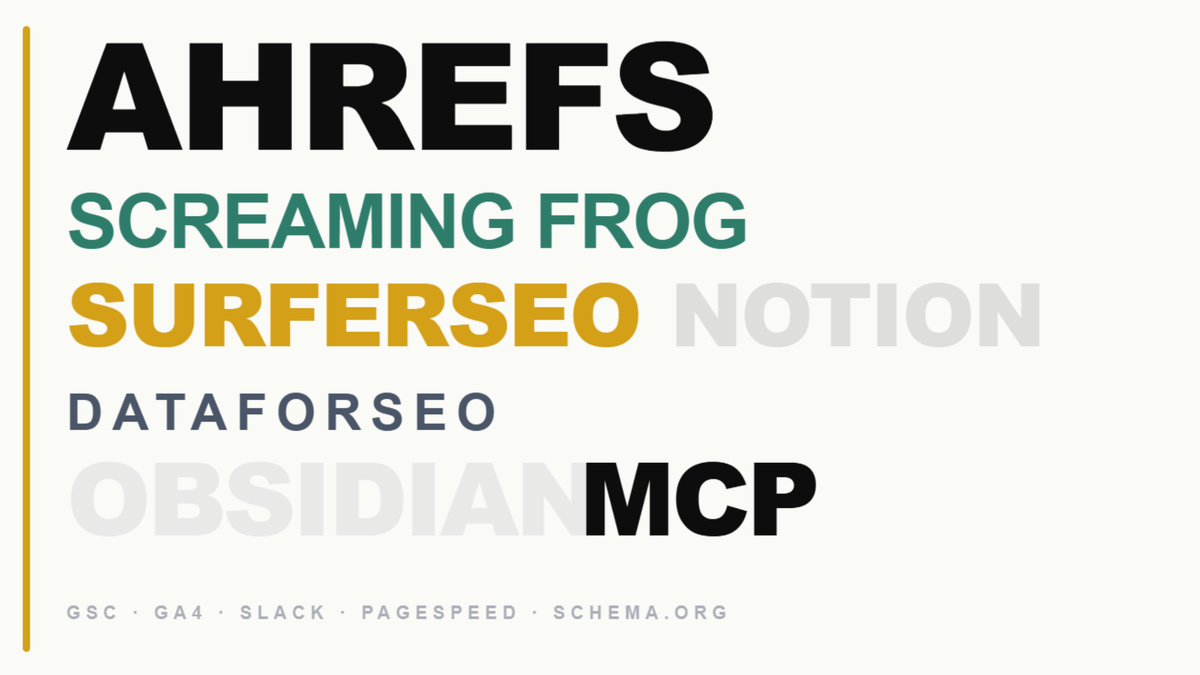
Ahrefs and DataForSEO for keyword research and bulk SERP data, both with MCP integration for AI-assisted workflows. Google Search Console with MCP for performance verification. Screaming Frog for technical site crawls at the start of every engagement. SurferSEO as optimisation guidance for optimising articles, not gospel. Google Analytics 4 for conversion tracking. Notion for editorial planning and strategy documentation. Slack for community-based link building. Obsidian MCP for connected knowledge management. Free tools, including PageSpeed Insights, Google Rich Results Test, and Schema.org, for technical validation throughout.
That is the stack. The skill is knowing how to use it in sequence, with a documented brief process, a structured content calendar, and a measurement framework that connects content activity to commercial outcomes rather than just traffic volume.
If you want the full content strategy and tools workflow built into your engagement rather than assembled ad hoc, the monthly SEO service covers the complete content programme from research through to performance measurement, including the tools setup, the brief template, and the ongoing tracking framework.
Get a free SEO audit, and I will tell you exactly which tools your current stack is missing and which ones are adding cost without adding value.
Frequently Asked Questions About Content Marketing Tools
What content marketing tools do I actually need?
The non-negotiable foundation is Google Search Console and Google Analytics 4, both free. From there: a keyword research tool (Ahrefs), a site crawl tool (Screaming Frog), a content optimisation tool used as guidance (SurferSEO), a project management and planning system (Notion), and AI tools for research synthesis and brief support. Free tools, including PageSpeed Insights, Google Rich Results Test, and Schema.org, cover the technical validation layer. Most content marketers need fewer tools used more consistently, not more tools used partially.
What is the best content marketing tool for keyword research?
Ahrefs for most use cases, particularly when used with its MCP integration for AI-assisted research workflows. DataForSEO for bulk keyword data pulls and structured SERP analysis at scale across multiple keywords. Google Search Console for ground-truth performance data on an existing site. Google Keyword Planner provides free directional keyword suggestions alongside other data sources.
Are AI tools worth including in a content marketing stack?
Yes, for specific tasks: research synthesis, brief scaffolding, entity identification, and systematic content gap analysis when connected via MCP to tools like Ahrefs and Google Search Console. Not for final SEO content that requires first-person expertise signals and E-E-A-T to rank and convert. The Obsidian MCP setup represents the most advanced version of this: a knowledge management layer that makes documented methodology accessible within the AI workflow.
What is the best free content marketing tool?
Google Search Console and Google Analytics 4 together cover more ground than most paid tools at the analytics layer. Google Rich Results Test and PageSpeed Insights are essential for technical validation. Schema.org is the reference for structured data implementation. The free SEO tools at GWContent cover content decay detection, schema generation, and E-E-A-T scoring without a subscription.
What is Screaming Frog used for in content marketing?
Screaming Frog crawls every page on the site and surfaces orphan pages, broken internal links, redirect chains, missing schema, duplicate content, and missing meta descriptions. It is the first tool I run on a new client engagement because it shows the full structural picture of the site before any content recommendations are made. Fixing what Screaming Frog surfaces, particularly orphan pages and broken internal links, is consistently the fastest source of ranking improvement available on most sites.
How does MCP change the content marketing tools workflow?
MCP integrations connect tools like Ahrefs, Google Search Console, DataForSEO, and Obsidian directly to AI tools like Claude, enabling research, data retrieval, and strategic analysis to happen in a single context rather than requiring manual switching between platforms. In practice, this means keyword data, performance data, and documented strategy all surface within the workflow where content briefs are being built, which produces better-integrated outputs than the traditional tab-switching approach that most content marketing teams still use.