Content Decay: How to Detect and Fix Pages Losing Traffic
Published: 16 May 2026 | Last updated: 16 May 2026 | 11 min read
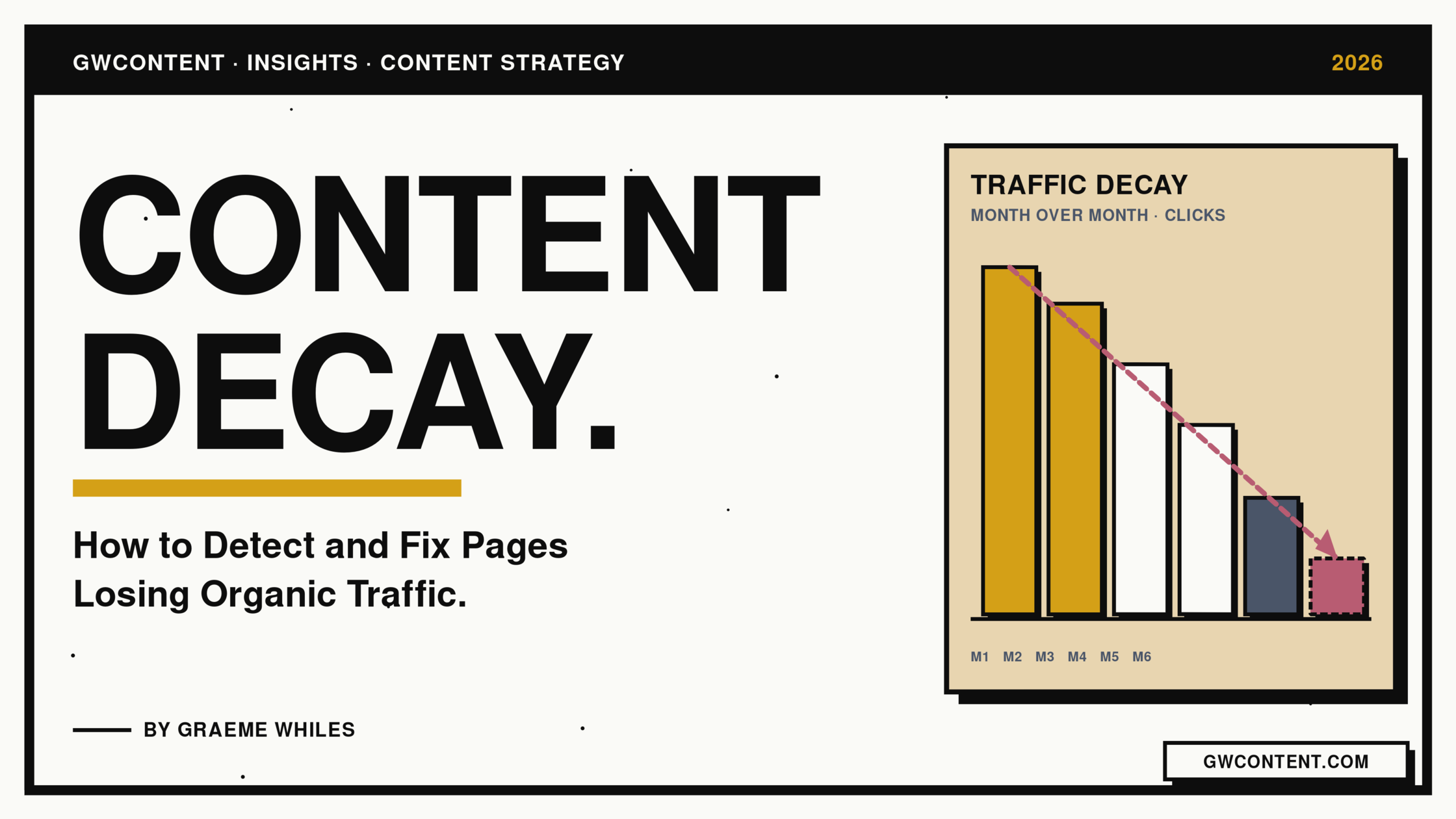
Content decay is the slow, almost invisible erosion of organic traffic on pages that used to perform. It is not a sudden traffic drop caused by a Google penalty or a major algorithm update. It is the quiet decline of pages that have been left to age while the rest of the web kept moving. By the time a quarterly review catches it, the lost traffic is already significant.
This guide covers what content decay actually is, the six causes I see most often in client audits, how to detect decay before it shows up as a traffic problem, and the prioritisation framework I use to decide which decaying pages to refresh, consolidate, or prune.
Author Bio
Graeme Whiles is an independent SEO and AEO consultant at GWContent. He has worked with enterprise and SaaS brands, including Originality.ai, Connecteam, 6sense, Practice Better, and Peppr, growing organic traffic and AI search visibility across some of the most competitive categories in B2B. He also built Three Putt Golf Clothing from a blank domain as a live proof of concept for his methodology.
Short on time? Here are the key takeaways
-
Content decay is the gradual decline of a page's organic traffic and search engine rankings, usually caused by a search intent shift, fresher competing pages, AI generated answers absorbing clicks, broken internal linking, or outdated content rather than a single Google penalty.
-
Detect decay early by comparing organic clicks per page across the full 16-month date range in Google Search Console, then cross-referencing with Google Analytics for user engagement.
-
A targeted refresh recovers most pages in 4 to 12 weeks. Pages with no backlinks and no business relevance should be consolidated or pruned, not refreshed.
-
In my opinion the biggest mistake content teams make is refreshing in alphabetical order. Prioritise by historical traffic peak, business relevance, and realistic recovery ceiling.
-
Organic search and AI Overviews are now separate visibility layers with their own ranking logic. A page can hold a strong organic position and still bleed clicks to AI generated answers above it.
What Content Decay Actually Is

Content decay is the gradual decline of a page's organic traffic and search engine rankings, even when nothing visibly changed on your site. The page still loads, the copy still reads well, but traffic and rankings trend downward over months. This is not a sudden traffic drop. A sudden traffic drop caused by a Google penalty or a major algorithm update is loud and binary. Content decay is quiet. It drips.
The pattern is universal: a page ranks, performs, plateaus, then slides. Most content teams invest heavily in producing new content and rarely check on the existing content. That gap is where decay lives.
Decaying content matters for two reasons. The first is the obvious revenue cost on individual pages. The second is structural. Decaying pages drag on your entire site's traffic, dilute topical authority, and weaken the internal linking layer that helps the rest of your work rank.
6 Reasons Why Pages Decay

The cause is rarely one thing. In my work auditing client sites, I see six recurring drivers behind most traffic drops.
Search intent shift.
Google reads what users click on its search results. If user intent for your target keywords moves (from informational to commercial, from product comparison to listicle, from text to video), pages that haven't moved with it lose ground. A current search intent check should be the first thing you do on a decaying page, before you touch the copy.
Competitor improvement.
Well maintained competitor content gets republished, expanded, restructured. Yours did not. Even if your page is technically still accurate, it now reads thin against pages that have widened their scope.
Loss of freshness signals.
Search engine algorithms weight freshness on query-dependent terms. Pages with stale dates, old screenshots, and references to last year register as outdated content rather than up to date information. This matters more in 2026 than it did three years ago because AI generated answers in Google search results lean even harder on recency than classic organic does.
AI Overviews and the new visibility layer.
This is the dimension competitors keep underweighting. Organic search and AI Overviews are now separate visibility layers with their own ranking logic. A page can hold position three in classic search rankings and still lose clicks to AI generated answers that paraphrase it without sending traffic. I saw this clearly on the Originality.ai engagement, where pages ranking organically were being hollowed out by AI generated answers above the fold. To improve AI ranking positions you need to treat it as its own discipline. I cover it in my guide on AI Overview optimisation.
Broken links and weak internal linking.
Broken internal links break the flow of link equity through your site. Add in lost external backlinks (sites that linked to you have moved, removed, or rewritten their pages) and the link authority gap widens. Without the same authority feeding the page, it slips.
Topical authority erosion.
Two or more articles targeting similar keywords cannibalise each other. Google can't decide which one to rank, so it ranks neither well. Cannibalisation is the most common cause I see on sites that have been publishing blog posts for more than three years. In my work with Connecteam, the single largest driver of decay across the back catalogue was overlapping articles competing for the same keyword cluster. Untangling that cluster moved more traffic than any individual refresh in the programme.
How to Detect Content Decay Early
You cannot fix what you cannot see. The earliest detection signals are not traffic drops at all, they are leading indicators: declining impressions, falling average position, falling click-through rate, and softer user engagement.
Google Search Console. Start in GSC's Performance report. Set the date range to the full 16 months available and compare the most recent quarter against the same quarter a year prior. Filter to pages that earned significant traffic at their peak. Practically I use a threshold of at least 100 clicks a month at the historical traffic peak. Any page where impressions are flat but clicks are down is a candidate. Any page where impressions are down is decaying. The GSC Performance report documentation is worth reading in full if you have not already.
Google Analytics. GA4 adds the behaviour layer. Sort landing pages by engaged sessions and check pages with declining engagement rate alongside the GSC data. If a page is bleeding both organic traffic and engagement, it is almost certainly serving stale intent.
Google Trends. Google Trends is a quick sanity check on whether the topic itself is declining, whether search volume has shifted, or whether the topic is stable and the decay is yours alone. Treat it as a single data point on top of your own traffic trends, not a verdict.
Third-party tools. Ahrefs, Semrush, and similar tools surface keyword rankings history and traffic trends per URL with a wider lookback than GSC. Ahrefs' content decay research is one of the better external reads on the topic, particularly on how AI assistants weight freshness.
Purpose-built detection. Manual analysis works on a 50-page site. It collapses on a 5,000-page site. On the 6sense engagement I was triaging tens of thousands of URLs, and manual sampling is not a viable strategy at that depth. I built the Content Decay Detector to surface decaying pages at scale, cross-referencing GSC trajectory with engagement and freshness signals so you stop spending time identifying which pages to fix and start spending it actually fixing them. There are more in the free SEO tools library if you want to triage the rest of your stack.
Prioritise Before You Fix
Most teams that try fixing content decay fail at this step. They open a backlog of 200 declining pages and start at the top of the alphabet. Don't. Schedule high priority pages first, defined by the intersection of three factors:
- Historical traffic peak. How much was this page earning at its best? Pages that peaked at 5,000 monthly visits are worth more attention than pages that peaked at 200.
- Business relevance. Does this topic still map to a product, service, or revenue motion? A decaying page on an irrelevant topic is not a refresh candidate, it is a prune candidate.
- Realistic recovery ceiling. Is the gap between you and the top of the SERP a content gap, or a link authority gap? Pages that have accumulated meaningful backlinks but lost their content edge recover quickly with a targeted refresh. Pages losing on link equity alone need a different intervention, and a refresh on its own won't move them.
That third filter is the one that saves time. If two pages are tied on traffic potential and business relevance, the one with the stronger backlink profile wins the slot.
In my opinion the biggest mistake content teams make is refreshing in alphabetical order or by gut feel. With Practice Better, I ran the entire blog through this three-factor filter before touching a single word. Roughly a third of the proposed refresh candidates were reclassified as prune or consolidate. The pages we did refresh recovered faster because the team's effort went to the work that actually had a recovery ceiling worth chasing.
The Refresh Framework

Once a page earns a refresh, the work is substantive, not cosmetic. Updating the publication date and changing "2024" to "2026" does not fix decaying content, and Google has gotten very good at detecting cosmetic changes that don't improve the page. Real content refreshes follow a six-step process.
Step 1: Current search intent check. Pull the top 10 Google search results for your primary keyword. Read all of them. What format dominates? What questions do they answer? What does the page need to be now, not what it was when you wrote it? If the intent has fundamentally shifted, you are rewriting, not refreshing.
Step 2: Topical gap analysis. Compare your page against the SERP. What subtopics, sections, examples, or entities are covered by competing pages that yours misses? Map the relevant keywords and entities. Fill the highest-value gaps.
Step 3: Fresher data and primary sources. Replace any statistic, example, or quote older than 18 months with fresher data from a primary source. Update screenshots. Add new examples. AI generated answers preferentially cite recent, well-sourced content, so this step does double duty for organic search and AEO.
Step 4: Internal links and link equity. Audit links into the page. Are the linking pages still live? Are the anchor texts still relevant? Add new internal links from topically adjacent pages to pass meaningful authority back to the refreshed page. Fix any broken internal links sitewide while you're in there. My on-page SEO checklist covers the per-page details.
Step 5: AEO and entity coverage. Rewrite the introduction to answer the primary question in the first paragraph. Add FAQ sections that mirror real People Also Ask queries. Tighten entity coverage so the page reads as authoritative to both classic search engines and AI generated answers. The detail is in my answer engine optimisation guide.
Step 6: Meta descriptions, titles, and resubmission. Rewrite the title tag and meta descriptions to match the refreshed angle and improve Google rankings on the primary and secondary terms. Submit the URL for reindexing in Google Search Console. Then wait. Recovery is not instant. Pages with existing domain authority and link equity recover in 4 to 6 weeks. Older, weaker pages take three months. Stale pages without strong backlinks can take longer, and some won't recover at all. That is fine. The decision tree below is for those.
Consolidate, Prune, or Redirect
Not every decaying page deserves a refresh. Run each candidate through this decision tree.
Refresh if the page has accumulated meaningful backlinks, the topic is still business-relevant, and a current search intent check shows the gap is bridgeable with content quality alone. This is when a targeted refresh will recover traffic and rankings.
Consolidate if two or more articles target the same keyword or near-similar keywords. Merge them into one canonical page, 301 redirect the rest, and you'll typically see traffic exceed the sum of the parts within a quarter. Cannibalisation across multiple pages is one of the easiest wins in content strategy. With Peppr the largest single uplift came from consolidation rather than refresh: a smaller catalogue overall, but heavy keyword overlap between commercial and informational pages that needed untangling.
Prune (delete and redirect) if a page has minimal traffic, no backlinks, and no business relevance. Left indexed, it dilutes topical authority and drags on the rest of the site. A 301 to the most relevant remaining page passes whatever residual link equity exists.
Leave it alone if traffic is stable, even if low. Not every page needs to grow. Some pages exist to serve a narrow query well. Don't refresh content just to refresh it.
How to Prevent Decay
Detection and fixing are reactive. The mature posture is preventive. The teams whose content compounds rather than decays do four things consistently.
Quarterly content audits. Pull GSC data for the full date range, sort by traffic delta, and triage. A two-hour quarterly audit prevents months of slow erosion.
A refresh cadence built into the content marketing calendar. In my opinion the 70/30 split is not optional on any site older than two years: 70 percent new content, 30 percent content refreshes on existing content. Most teams run 95/5 the wrong way and the decay just compounds. I run this discipline on Three Putt Golf Clothing as a proof of concept on my own brand, and it is the single reason older posts there hold or grow rather than slide. The content marketing tools post has my current toolkit for managing this at scale.
Internal linking discipline. Every new article should link out to at least two relevant older articles and earn at least one link in from a topically adjacent page. This keeps your link graph alive and prevents the slow strangulation that comes from weak internal linking.
A two-layer measurement model. Track classic organic traffic and AI Overview citations as separate visibility layers. They behave differently. A page can be doing fine on one and decaying on the other. Both need to be on a dashboard.
A Note on Evergreen Content
The myth I hear most often: only evergreen content decays. The reality is the inverse. Time-bound content (events, product launches, news) is expected to decay. Evergreen content is what compounds when maintained and what bleeds when neglected. Most of the lost traffic I see on client sites is on pages that were evergreen on day one and were never touched again. Evergreen is a maintenance posture, not a content type.
The Bottom Line
Content decay is not a single event, it is a posture. Sites that treat content as a one-and-done shipment lose ground every quarter. Sites that build refresh cadence, consolidation discipline, and a two-layer measurement model into the content marketing calendar compound instead. The difference between the two is rarely talent, it is process.
If you have a back catalogue of declining pages and no time to audit, refresh, and measure them yourself, my Content Refresh Programme is built for exactly that. Senior-only delivery, structured prioritisation, measurable recovery.
Get in touch if you want me to run the framework against your site, or browse my case studies for the work behind the methodology.
Frequently Asked Questions About Content Decay
What is content decay in SEO?
Content decay is the gradual decline of a page's organic traffic and search engine rankings over time. It is typically caused by search intent shifts, fresher competing pages, AI generated answers, broken internal linking, or outdated content rather than a single Google penalty event. Decay is slow and easy to miss on short-term reports, so most teams only notice it once significant traffic has already been lost.
How long does a refreshed page take to recover?
Pages with existing authority and link equity typically recover in 4 to 6 weeks after a targeted refresh. Stale or weaker pages take 3 to 6 months. Pages without backlinks may not recover at all and are usually better candidates for consolidation or pruning.
Should I update or delete decaying pages?
Update if the page has backlinks and the topic is still business-relevant. Consolidate if two or more articles target the same keyword. Delete and 301 redirect if a page has minimal traffic, no backlinks, and no business relevance.
Does republishing with a new date count as a content refresh?
No. Cosmetic date changes do not fix decaying content. Google's systems detect whether a change represents genuine improvement. The fix needs to be substantive: fresher data, refreshed angle, repaired links, updated entity coverage.
Can content decay happen to evergreen content?
Yes. Evergreen content is the most common type of decaying content, because teams assume it does not need maintenance. It is not just a matter of topic, it is a matter of upkeep. The Search Engine Land guide to content decay is a useful second read on this point, and Google's own helpful content guidance reinforces it.
How do I know which decaying pages are worth refreshing?
Prioritise by the intersection of historical traffic peak, current business relevance, and realistic recovery ceiling. Pages with strong backlink profiles and a content gap (rather than a link gap) recover quickest. Pages with minimal traffic and no backlinks belong in the prune column, not the refresh queue.